Lectern Viewer
The Lectern Viewer is a React component library for displaying Lectern data dictionaries. It turns a dictionary's JSON schema into readable, interactive views so researchers and data submitters can understand data requirements before they submit.
The library is published as @overture-stack/lectern-ui and can be embedded in any data platform. It reads Lectern dictionary schemas and renders them two ways: a table view for field-by-field detail, and a diagram view for schema relationships.
The Lectern Viewer is an early-stage component library and is not yet production-ready. Expect breaking changes to component appearance, behaviour, and interfaces before a stable release.
Dictionary Table View
The DictionaryTableView component renders a schema field by field. Each row documents a field's data type, validation rules, and examples, with expandable sections for more complex restrictions.
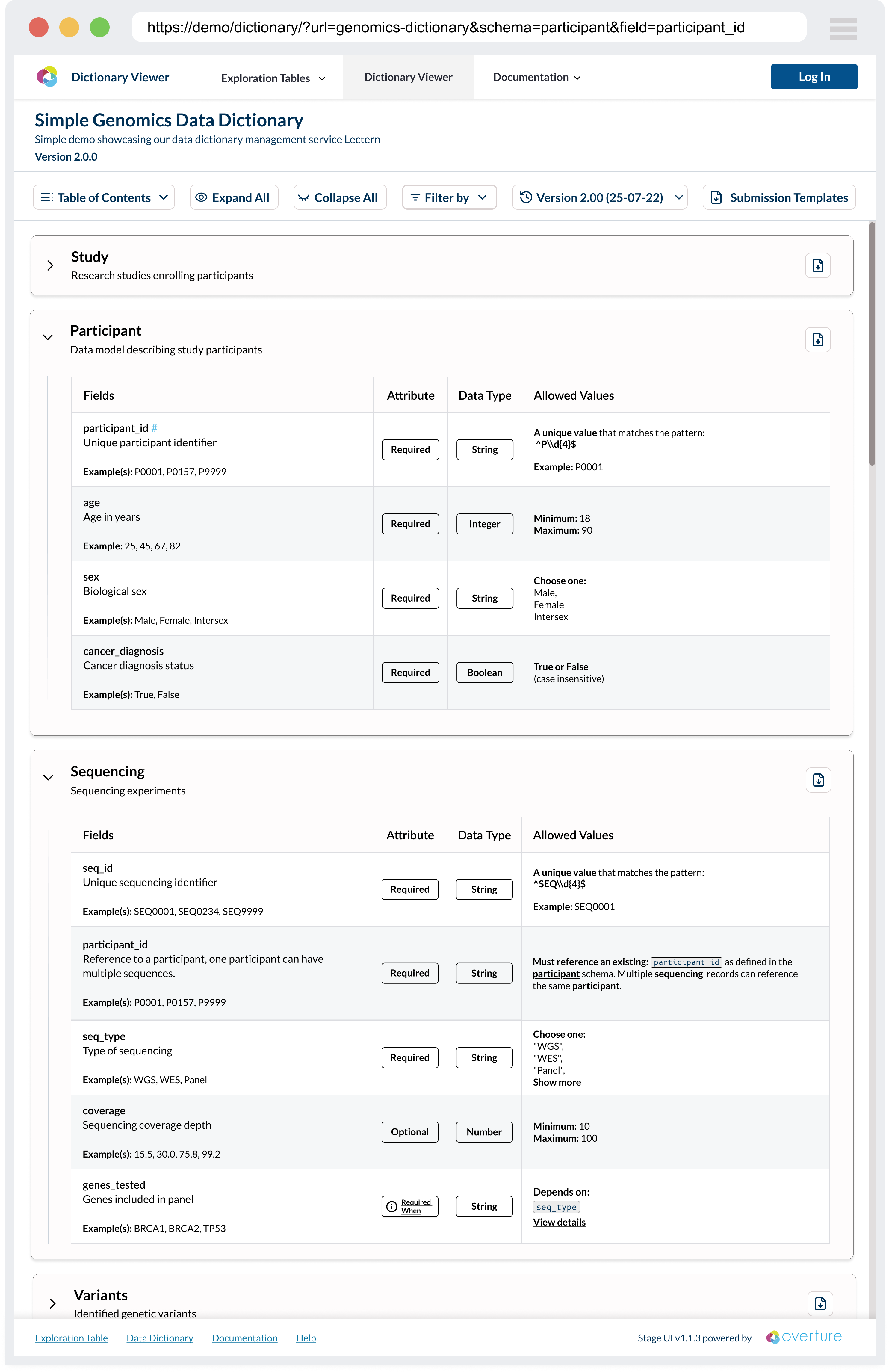
Features:
- Interactive schema tables: field definitions, data types, validation rules, and examples, with expandable sections for complex restrictions.
- Version switching: move between dictionary versions, with change tracking and comparison.
- Template downloads: generate a CSV template from a schema to start a data submission.
- Responsive, themeable UI: works across desktop and mobile, with support for custom theming.
Conditional Logic Modal
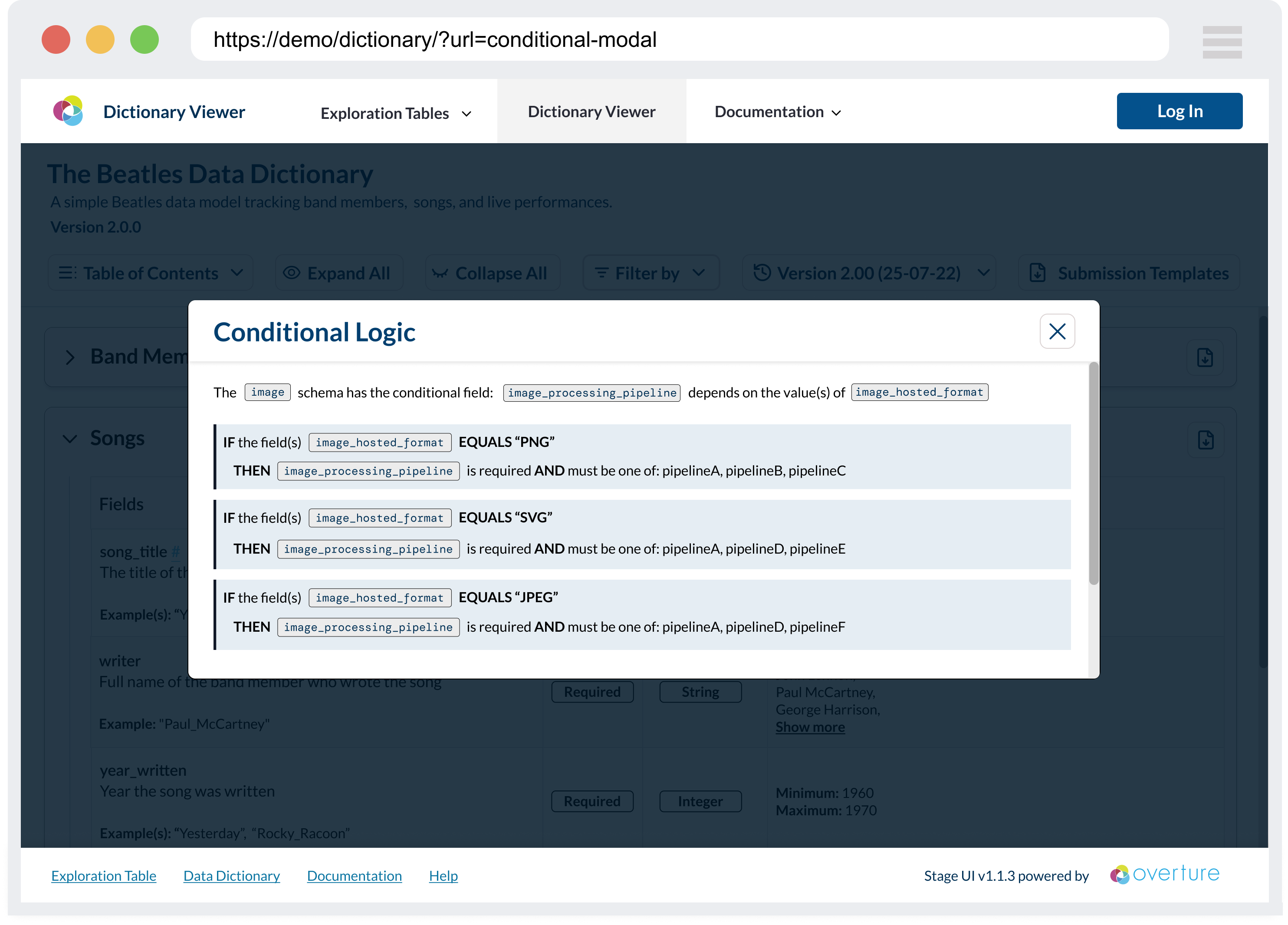
Conditional validation rules (if-then-else dependencies between fields) are shown in a modal. The modal breaks the logic into a structured display so the dependencies and requirements are clear.
Entity Relationship View
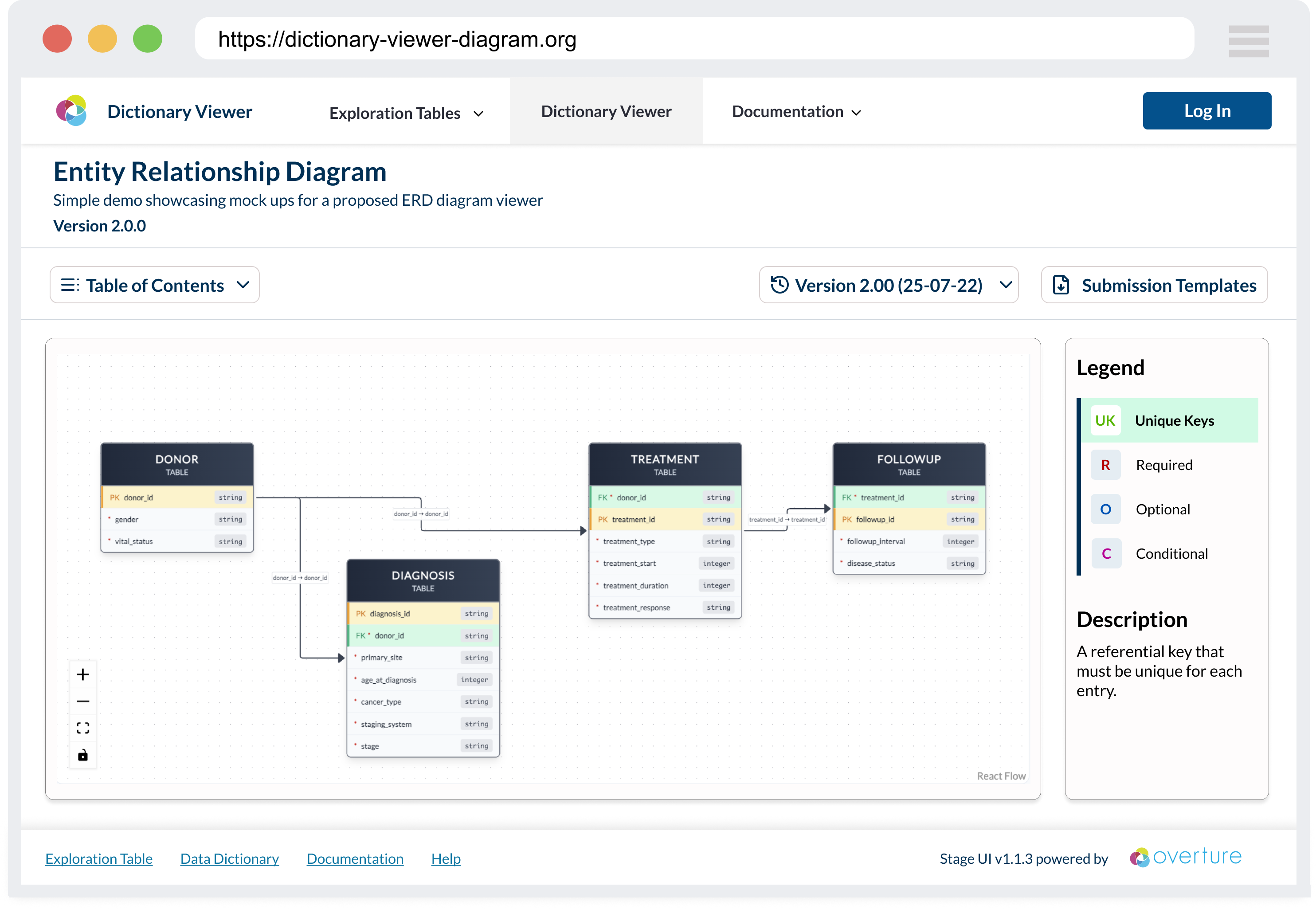
The DictionaryEntityRelationshipView component draws the dictionary as an interactive diagram. It shows how schemas connect through primary and foreign keys, making the overall data model easier to understand.
Integration
The Viewer is the presentation layer of the submission workflow. It is typically used alongside:
- Lectern Server: the REST API that stores, versions, and serves the dictionary schemas the Viewer renders.
- Lyric: Overture's tabular data submission service, which validates submissions against those same Lectern schemas.
The Viewer is being developed initially for the Pan-Canadian Genome Library (PCGL), which will use it to communicate data requirements to researchers. That implementation is intended as a reference for how other platforms integrate the components.
Developer quick start
The library is developed with Storybook, which renders each component in isolation for building, testing, and review.
-
Install dependencies from the repository root:
pnpm install -
Start Storybook:
pnpm --filter @overture-stack/lectern-ui storybook
Storybook runs on port 6006 by default: http://localhost:6006/.
Theming
Every Lectern component reads its styling from a LecternThemeProvider. When no provider is present, components fall back to the default LecternTheme.
For Storybook, a themeDecorator lets stories render under alternate themes, and a theme selector is added to the Storybook toolbar. Selecting a theme there applies it to every story that uses the decorator.
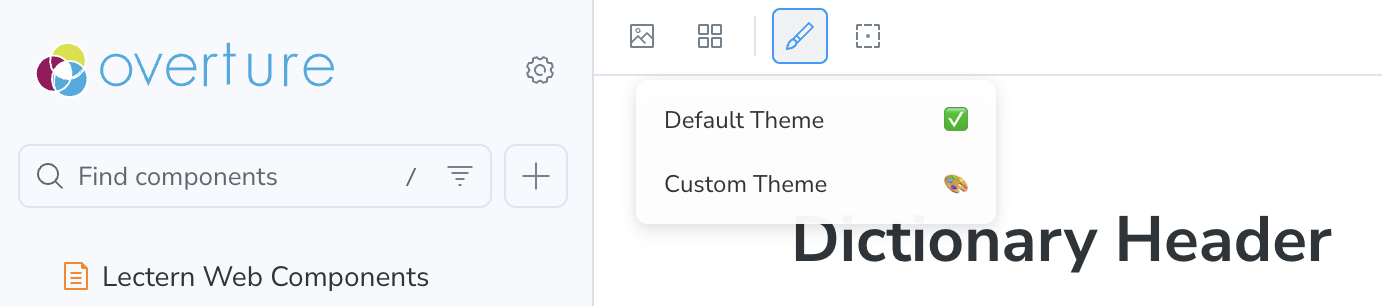
For the full walkthrough — adding themes to the selector, wiring the decorator, and editing stories — see the Lectern UI developer docs in the repository.